
School Management System
The whole school, on one screen.
Registers, lesson plans, marks, report cards, fees, salaries and parents. One system for nursery, primary and secondary schools in Tanzania, in English and Kiswahili, on any phone or computer.
Pupils, staff, attendance and money at a glance, from anywhere.
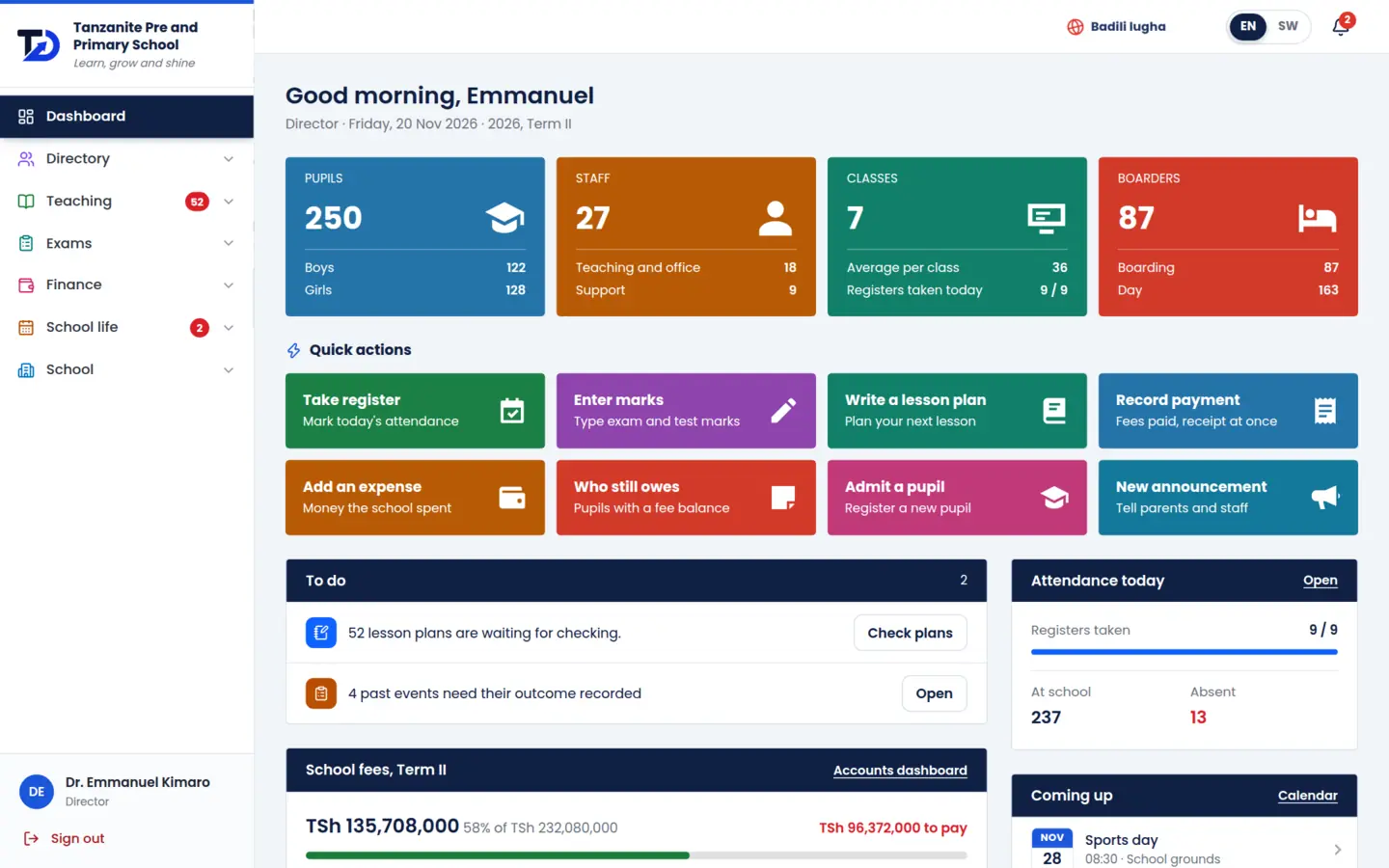
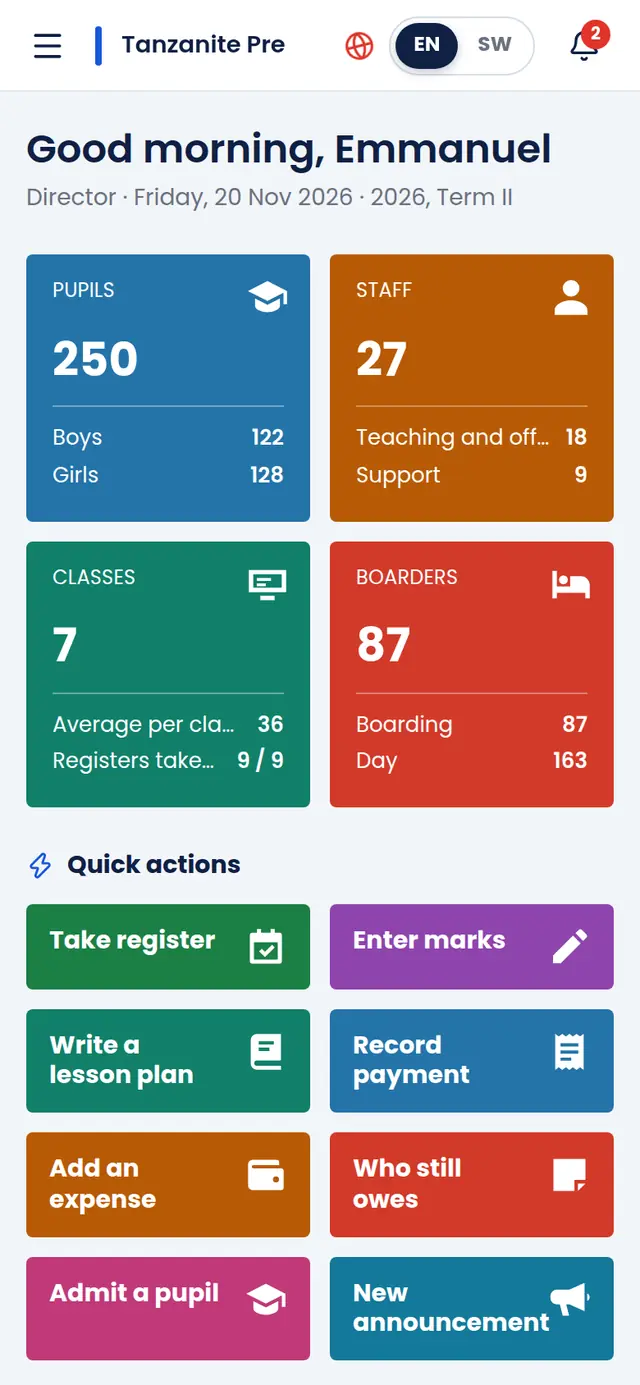
Real screens of the system. Names and figures are sample data.
- English and Kiswahili
- Phone, tablet and computer
- Day and boarding schools
- Your badge and colours
One school day, from the first bell
Scroll through the day and see what the system does while everyone works.
07:45
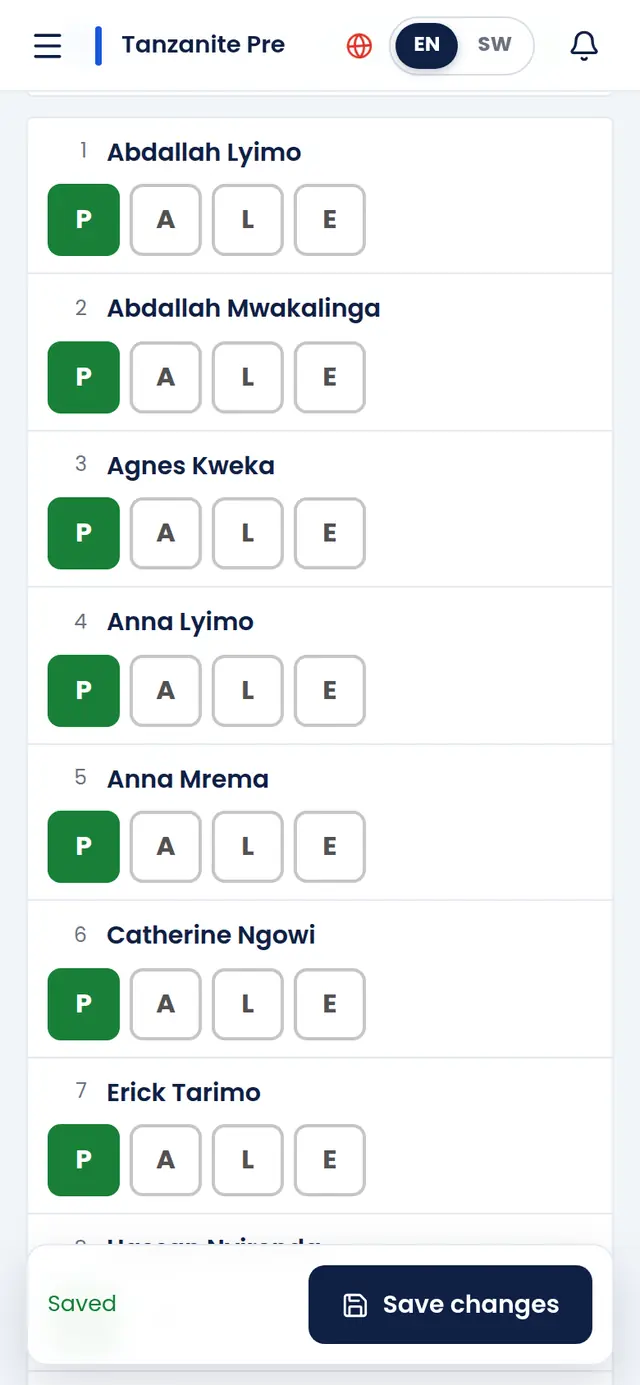
The register is taken on a phone
The class teacher taps Present, Absent, Late or Excused. The Head sees the whole school at once, and the parents of an absent child are told the same day.
08:40
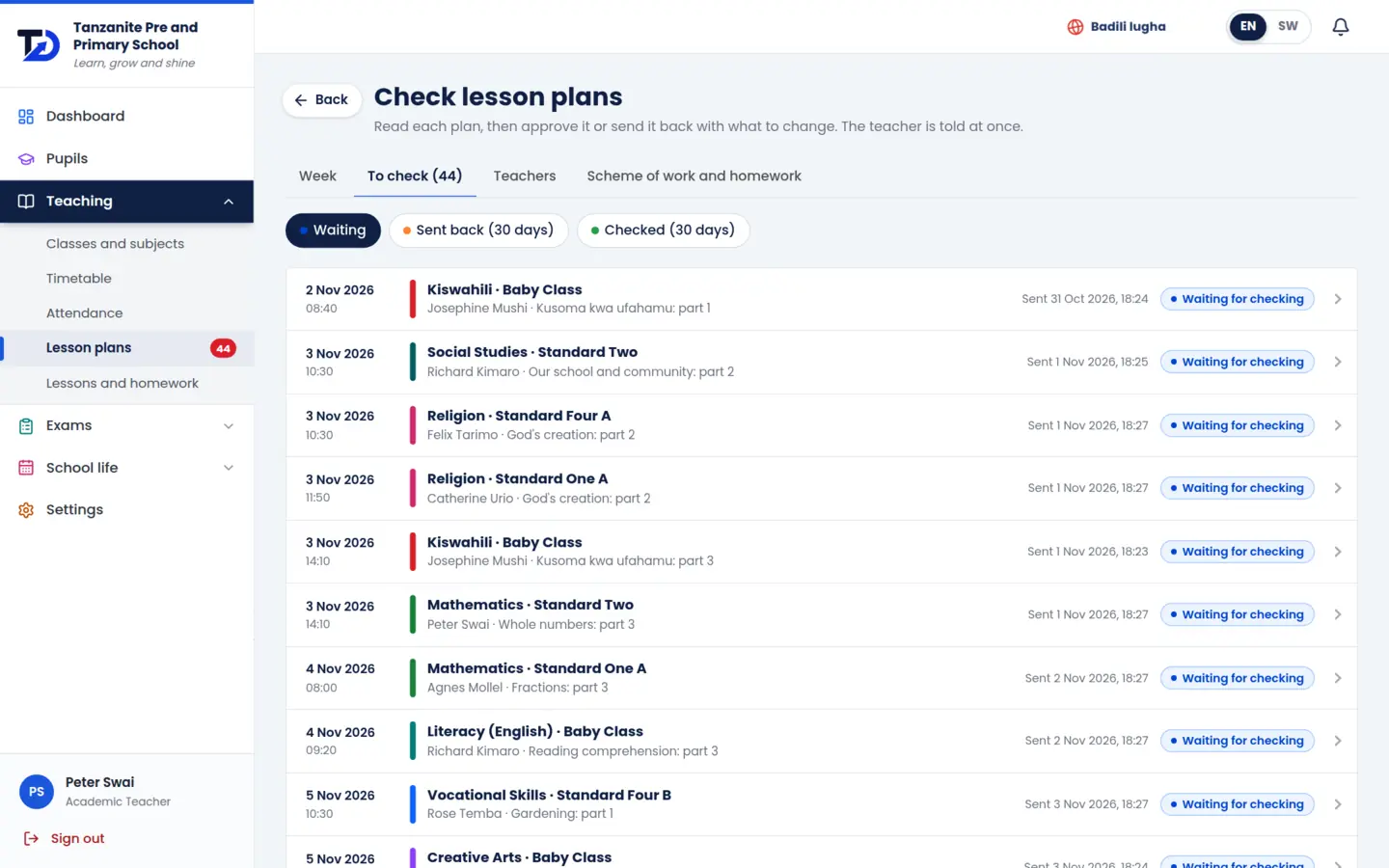
Lessons follow the timetable
The timetable has no clashes. Each lesson already has its place for a lesson plan; the Academic Teacher reads it and approves it, or sends it back with a note.
10:30
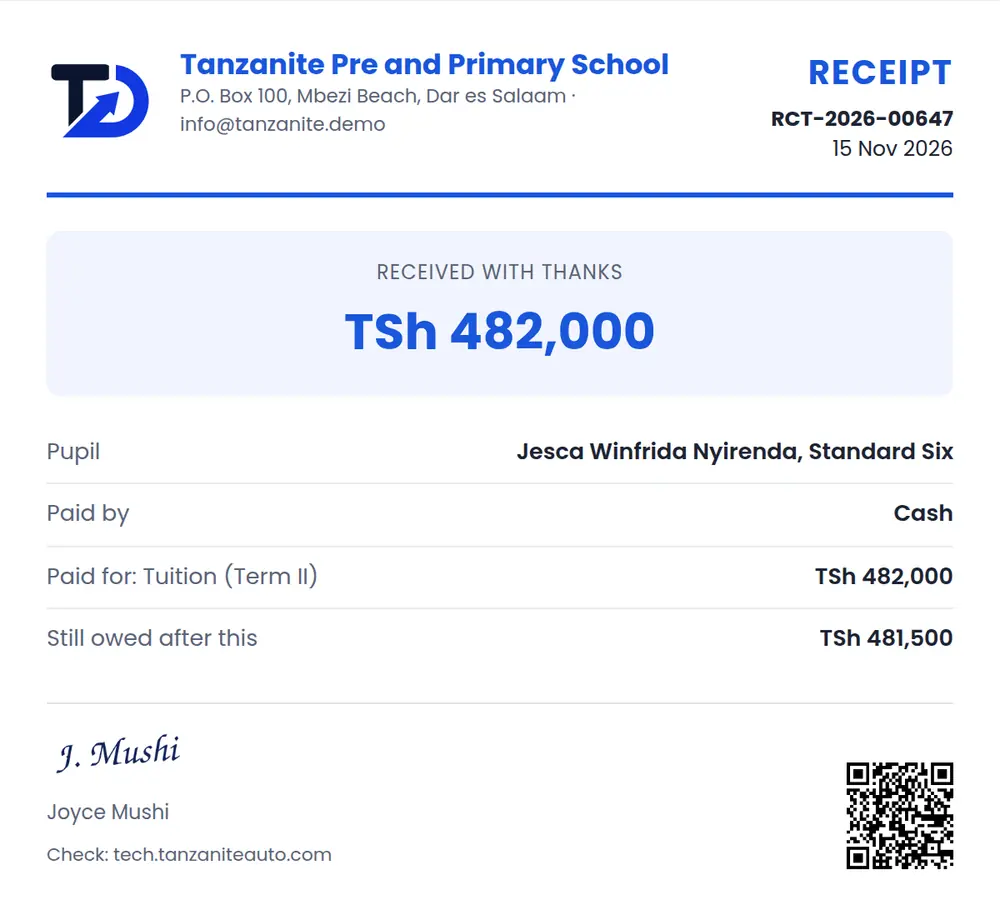
A parent pays the fees
The Bursar records the bank slip, mobile money or cash. A numbered receipt is printed at once and the balance changes on every screen.
13:20
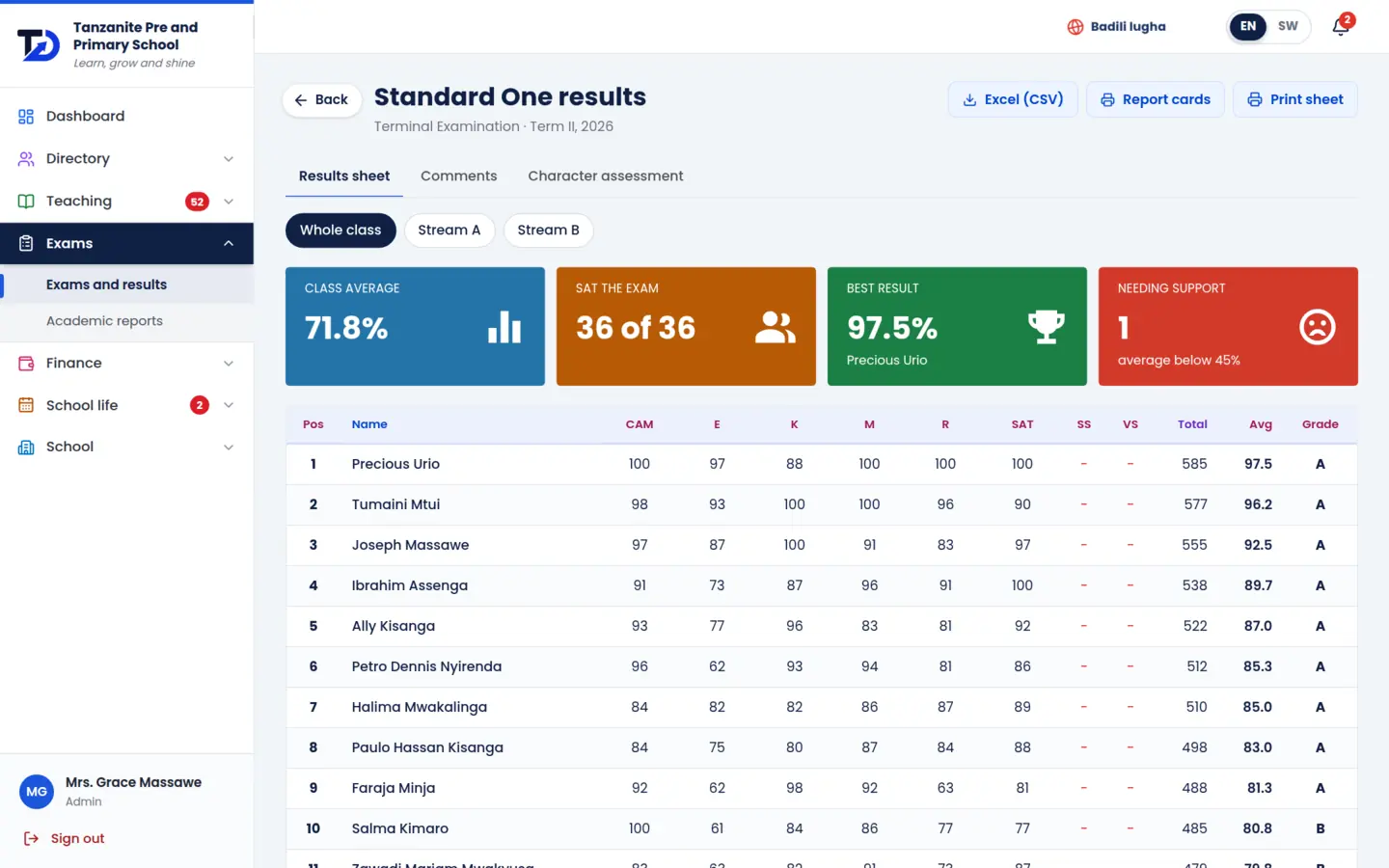
Marks become results
Teachers type marks once. Grades, averages, divisions and positions are worked out by themselves, then checked, approved and published in order.
15:45
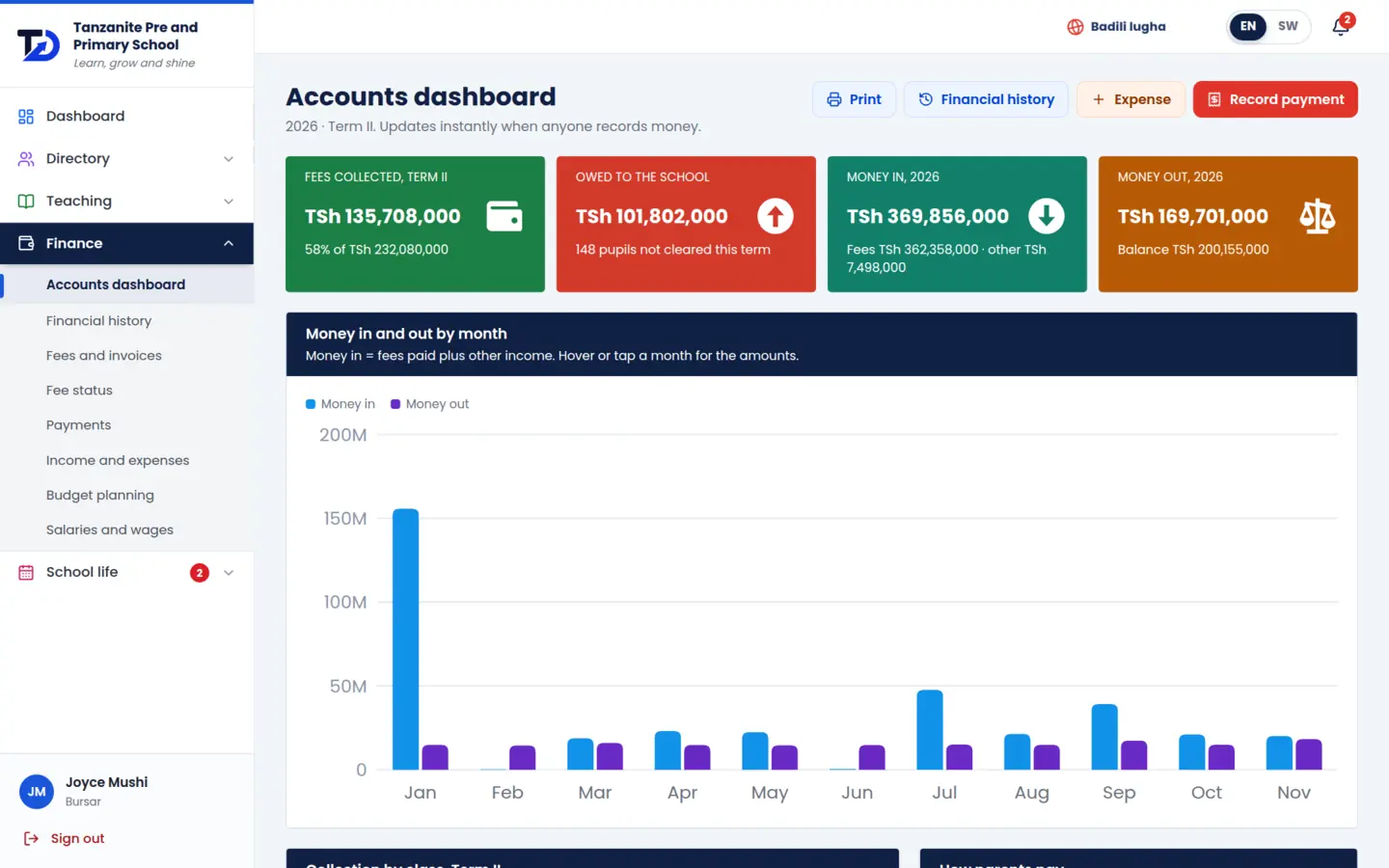
The money is clear
Fees collected, fees still owed, spending, salaries with NSSF and PAYE, and a full income and expenditure statement by month, term or year.
19:00
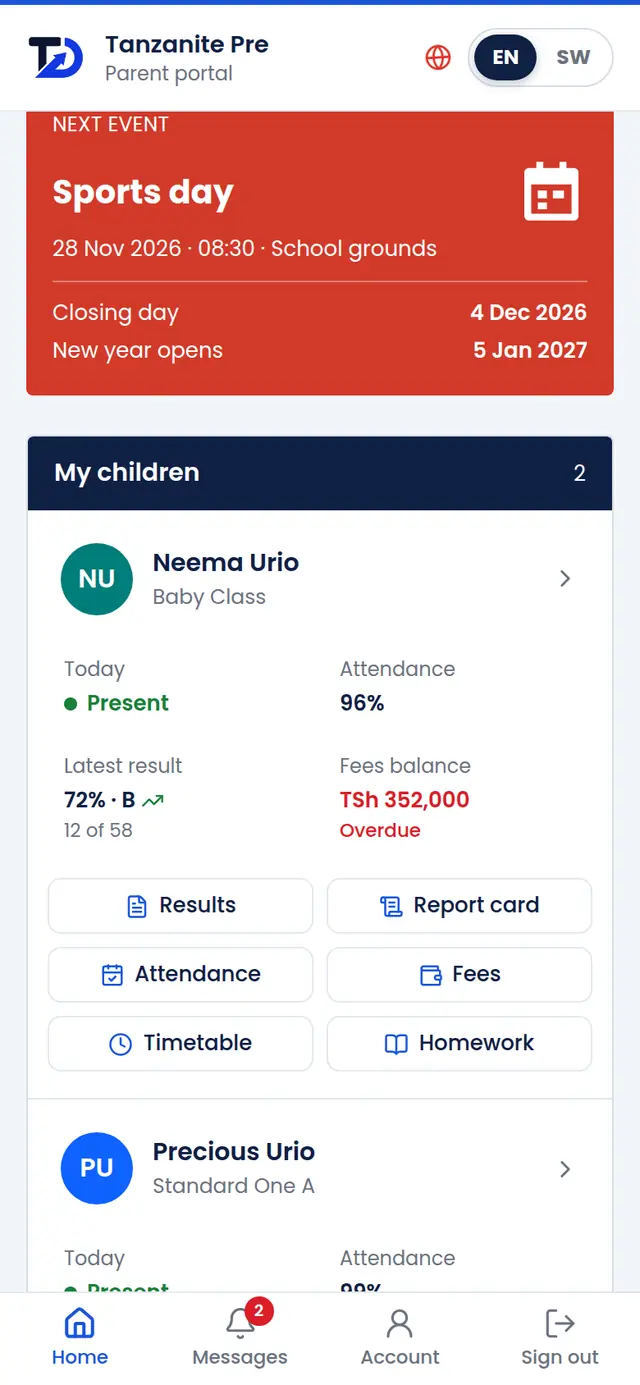
At home, the parent knows
The parent opens the portal: today's attendance, latest results, report card, fee balance, homework, timetable and school events. All children in one place.
Everything a school does, on one timetable
Twenty jobs that used to live in twenty notebooks.
MondayPeople
- Pupils and familiesAdmissions, brothers and sisters under one parent, promotion to the next class, Excel download.
- Staff and workersTeachers, office, cooks, guards and drivers with their details.
- Roles and permissionsReady roles plus your own. One person can hold two jobs.
- Parent portalEvery parent has a private account for their own children only.
TuesdayTeaching
- TimetablesLessons, after-class activities, evening prep and boarding routine, with clash checks.
- AttendanceDaily register, weekly, monthly and yearly reports, class month sheet.
- Lesson plansWritten from the timetable, checked, printed as an A4 book.
- Homework and materialsGiven per subject, seen by the parents of that class.
WednesdayExams
- Marks entrySaved while typing, or uploaded from Excel. Deadlines for every teacher.
- ResultsNECTA grades and divisions, averages, positions and comments.
- Report cardsWith signatures and stamp, one by one or the whole class.
- Academic reportsClasses, subjects, top pupils and those who need support.
ThursdayMoney
- Fees and invoicesFee structure per class and term, invoices in one click.
- Payments and receiptsNumbered receipts with QR code. Nothing is deleted, only voided with a reason.
- Income, expenses, budgetsEvery shilling in and out, with a warning at 90% of a budget.
- SalariesAllowances, NSSF, PAYE, payslips and a bank list, month by month.
FridaySchool life
- AnnouncementsTo everyone, staff, parents or one class, by email and in the system.
- Events and calendarMeetings, sports and holidays with a reminder the day before.
- Activity logWho changed what and when, kept for one year.
- School websiteLinked to the system: one login, live numbers of pupils and staff.
Paper that proves itself
Report cards, receipts, invoices, payslips and exam timetables carry a QR code. Anyone can scan it with a phone and see the school's own record of that document. A changed mark or an invented receipt is seen at once.
- No app needed, any phone camera works
- Shows genuine, cancelled or not recognised
- Opens in the school's own colours
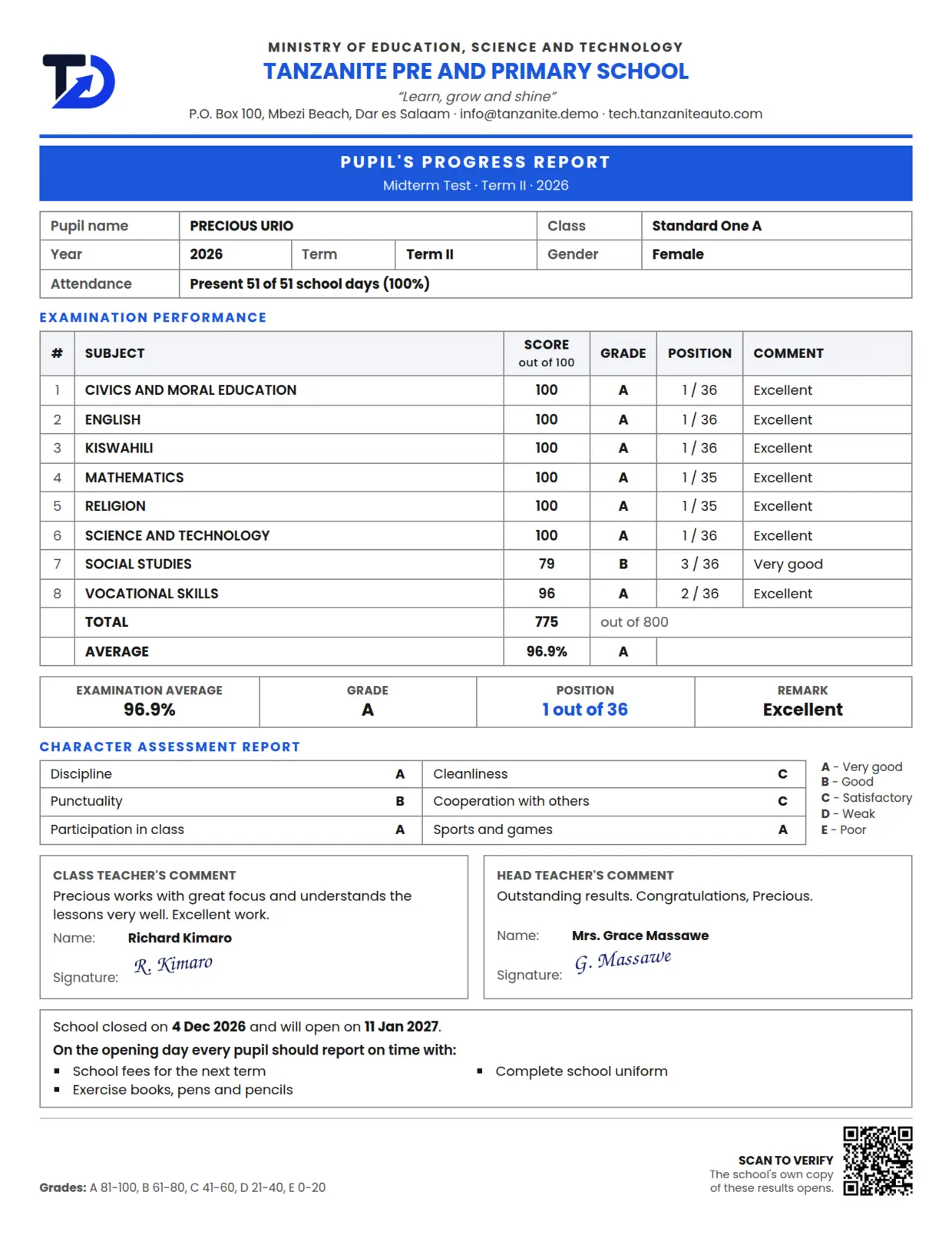
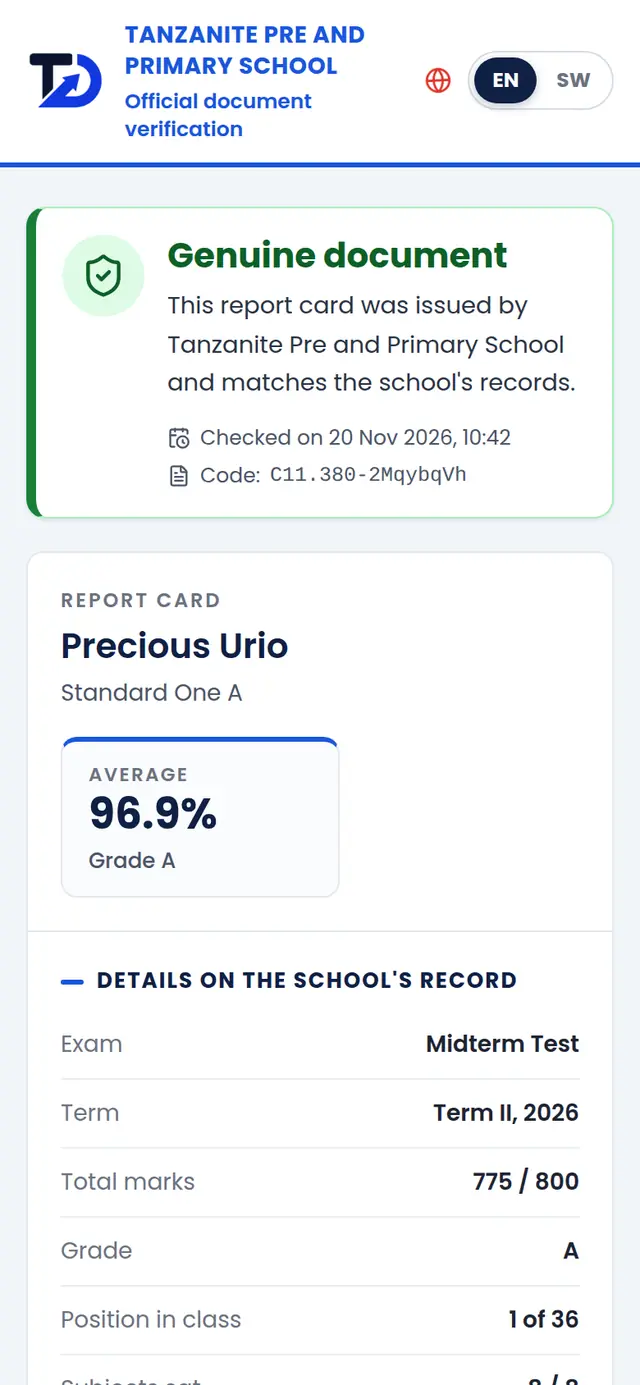
It wears your school's uniform
Badge, colours, motto, report cards, receipts, emails and even the sign-in address are the school's own. The same screen in two schools: pull the line.
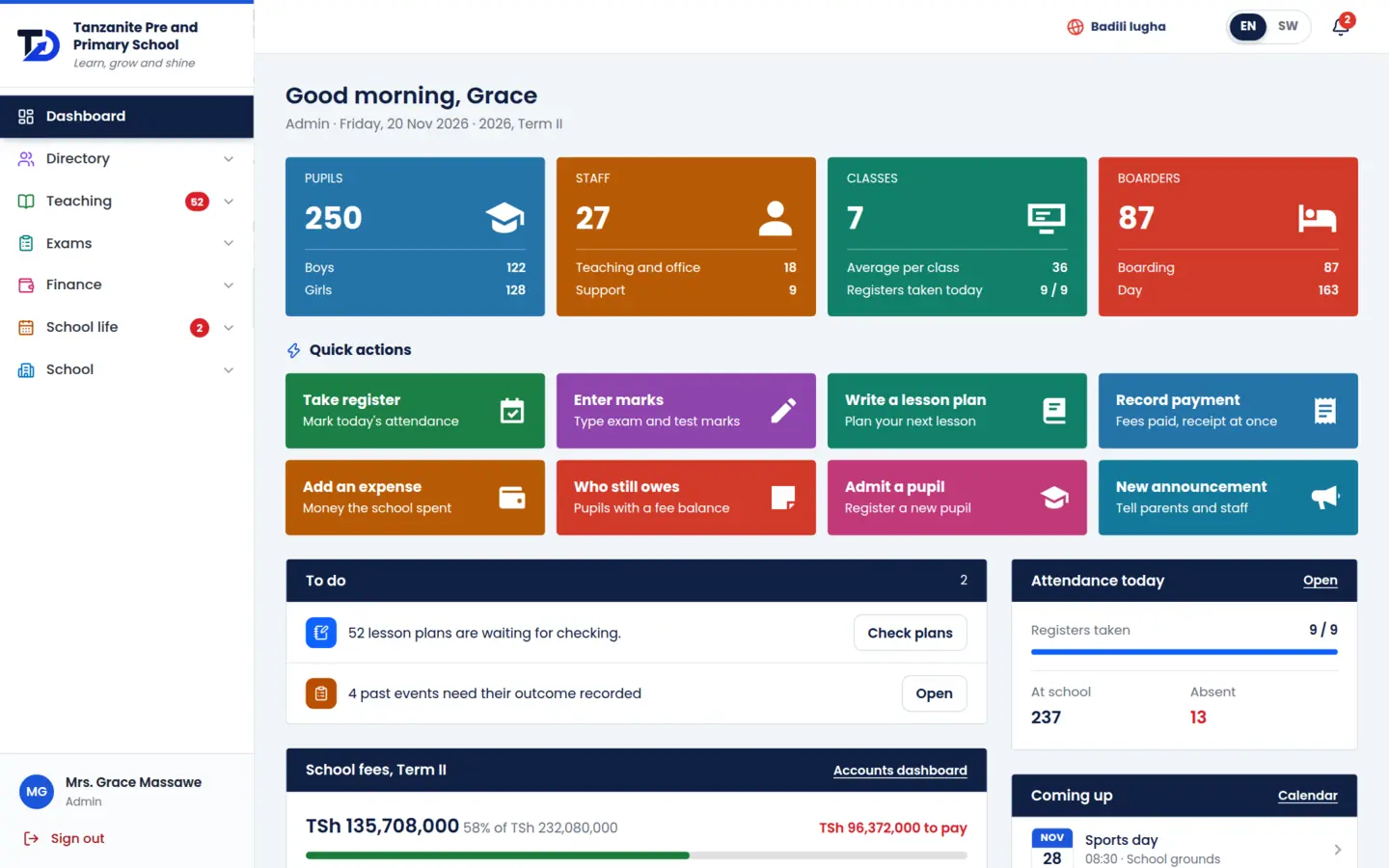
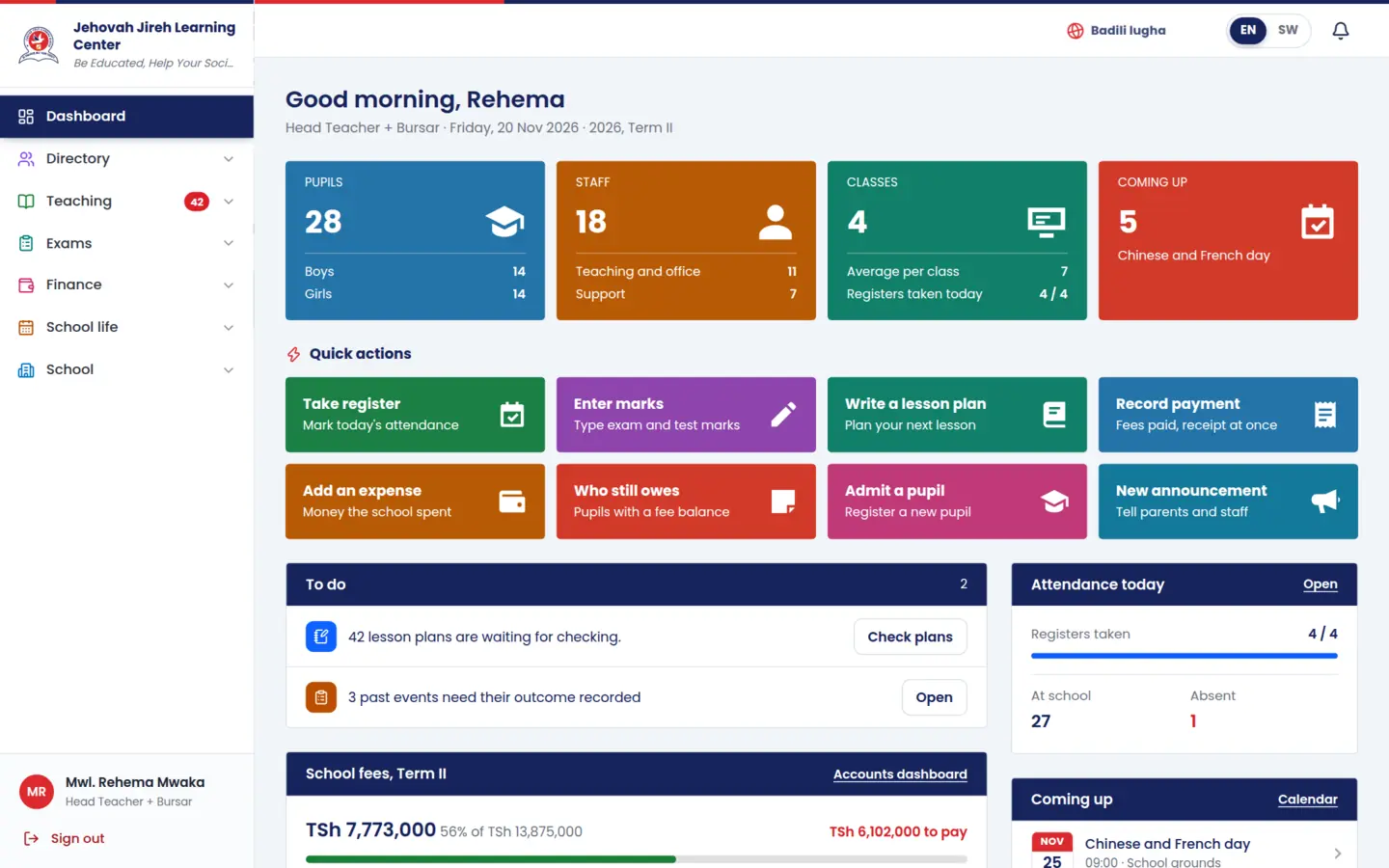
Built to be trusted
- Each person sees only their part
- A teacher cannot open the accounts. A parent sees only their own children.
- Every school is separate
- Your data is yours alone and never mixes with another school.
- Backed up every day
- The database is copied daily and kept for 30 days on Amazon Web Services.
- Locked when forgotten
- Signs out by itself when nobody is using it. Two-step sign-in is available.
- Changes reach everyone
- A payment or mark shows on every open screen within about a second.
- Tested end to end
- More than 150 automatic checks in a real browser cover its modules.
From first call to first register
Demonstration
We show you the system with a full sample school, at your school or online.
Your information
You fill one simple form: classes, fees, staff, badge and colours.
Set-up
We prepare everything: your classes, subjects, grading, fees and report card.
Training and support
We train each group of users, and stay with you after the start.
Questions schools ask
Do we need computers?
No. A phone with internet is enough for teachers and parents. The office is more comfortable with a computer and a printer.
Does it work in Kiswahili?
Yes. Every screen, message and document works in English and Kiswahili, and each person chooses their own language.
Which schools is it for?
Nursery, primary, O-Level and A-Level, day or boarding. Classes, subjects, grading and fees are set the way your school works.
We already have a website. Can they work together?
Yes. We can link your present website to the system, or build a new school website with it.
How much does it cost?
The price follows the number of pupils, so a small school pays less. Ask for a demonstration and you receive a written quotation.
Who owns the data?
The school. Pupils, fees and results can be downloaded for Excel or printed at any time.
See it with your own eyes
Leave your details and we will arrange a free demonstration for your school.